(!)Due to Microsoft's end of support for Internet Explorer 11 on 15/06/2022, this site does not support the recommended environment.
- Our website upgrade are completed! Latest improvements are now LIVE to enhance your ordering experience. You may be logged out due to the update. Please take note to login again or reset credentials if needed. More details here.
MELSEC-Q Series Ethernet Unit

Mitsubishi high-precision sequencer with selections to best suit the system and the target devices.
[Features]
· Supports 100BASE-TX for high-speed transmission (QJ71E71-100).
· Capable of transmitting and receiving data between the sequencer CPUs using the dedicated commands.
· Can connect with multiple programming tools for increased debugging efficiency.
· Text body (in ASCII format) and attachment files (in binary/ASCII/CSV format) can be sent via email.
[Applications]
· Convenient for connections with field networks.
Part Number
Configured Part Number is shown.
QJ71E71-100
This Product's Features

Example of connection
- Sequencer devices can be accessed from the web browser on a PC via the HTTP protocol. You can obtain a communication library and sample screens that work on a PC (web) from a download service.
- Alive check of the other device using the KeepAlive function (alive check function) lets you detect if the connection has closed due to a malfunction of the other device.
Immediate Communication By Only Selecting Desired Device From Communication Protocol Library

1. Select the manufacturer and model number (series) of the connecting device
No need to set a complex communication protocol with the connecting device. All you need is to select from the provided communication protocol library, such as the MODBUS, BACnet, etc.

2. Write a communication protocol to the unit
Write a pre-defined communication protocol to the QJ71E71-100 or QJ71C24N(-R2/R4) unit.

3. Execute the protocol from the ladder program
The ladder program only needs to execute a dedicated communication protocol start command, to initiate communication with the external device
Easy to Create and Edit Communication Protocols

Even when a desired device is not found in the communication protocol library, an additional communication protocol can be created in easy steps.

You can view the content of the created communication protocol for easy editing.
- *Supported by QJ71C24N(-R2/R4) of Function Version B or later, whose serial number starts with "11062."
- *Supported by QJ71E71-100 whose serial number starts with "15042" or later.
Specifications
| Transmission Specifications | Interface | RJ45 (Fixed to MDI) | |
|---|---|---|---|
| Type | 100BASE-TX/10BASE-T | ||
| Data Transmission Speed | 100BASE-TX: 100 Mbps (full duplex / half duplex) 10BASE-T: 10 Mbps (half duplex) | ||
| Transmission Method | Baseband | ||
| Maximum Segment Length | 100 m (Length between the hub and the node) | ||
| Maximum Number of Nodes/Connections | Cascade connection: Up to 2 levels (100BASE-TX), or up to 4 levels (10BASE-T) | ||
| Sending/Receiving Data Storage Memory | Number of Simultaneous Available Openings | 16 connections (Connections that can be used in the program.) | |
| Fixed Buffer | 1 K words×16 | ||
| Buffer for Random Access | 6 K words×1 | ||
| Attachment File | 6 K words×1 | ||
| Main Text | 960 words×1 | ||
| Transmission Specification Sending/Receiving Data | Data Size | Attachment File | 6 K words×1 |
| Main Text | 960 words×1 | ||
| Data Transmission Method | Send: Send attachments or main text (selectable). Receive: Receive attachments | ||
| Subject | Us-ASCII Format, or ISO-2022-JP (Base 64) | ||
| Attachment File Format | MIME format | ||
| MIME | Version 1.0 | ||
| Attachment Data Format | Selectable from Binary/ASCII/CSV. File name: XXXX.bin (binary), XXXX.asc (ASCII), XXXX.csv (CSV) (CSV: Comma Separated Value) | ||
| Division of Attachment | Not possible (Only 1 file can be sent/received.) | ||
| Send (Encode) | Subject: Base64 / 7 bits Main text: 7 bits Attachment: Base64 | ||
| Receive (Decode) | Subject: (Not decoded) Main text: (cannot be received) Attachment: Base64 / 7 bits / 8 bits / Quoted Printable | ||
| Encryption | N/A | ||
| Compression | N/A | ||
| Communication With Mail Server | SMTP (Transmission Server) Port Number = 25 POP3 (Receiving Server) Port Number = 110 | ||
| Validated Email Client | Internet Explorer 5.0 (Outlook Express 5.5 / Outlook Express 5) manufactured by Microsoft®Corporation Netscape® 4.05 manufactured by Netscape® Communications Corporation | ||
| Number of Occupied Inputs/Outputs | 32 points (I/O assignment: intelligent 32 points) | ||
| 5 V DC Internal Current Consumption | 0.50 A | ||
| External Dimensions | Height (H) | 98 mm | |
| Width (W) | 27.4 mm | ||
| Depth (D) | 90 mm | ||
| Weight | 0.11 kg | ||
| Part Number |
|---|
| QJ71E71-100 |
| Part Number | Standard Unit Price | Minimum order quantity | Volume Discount | Days to Ship | RoHS |
|---|---|---|---|---|---|
MYR 5,415.00 | 1 Piece(s) | 65 Day(s) | 6 |
Loading...
Please check the type/dimensions/specifications of the part QJ71E71-100 in the MELSEC-Q Series Ethernet Unit series.

- The specifications and dimensions of some parts may not be fully covered. For exact details, refer to manufacturer catalogs .
Additional Products in this Category
- Serial Communication Unit CJ1W-SCU
- L Series RS-232 Adapter
- MELSEC-F Series AnyWireASLINK System Master
- MELSEC-F Series CC-Link/LT System Master Block
- NX Series EtherCAT Coupler Unit NX-ECC
- FC6A Type All-in-One Programmable Controller MICROSMART Communication Module
- CC-Link-AnyWire Bridge Unit
- MELSECNET/H PLC to PLC network
Customers Who Viewed This Item Also Viewed
-
 MELSEC-Q Series Sequencer CC-Link System Master / Local Unit
MITSUBISHI
Standard Price : MYR 1,260.00
Days to Ship : 79 Day(s)
-
 PLC MELSEC-Q Series Sequencer CPU (Universal Model)
MITSUBISHI
Standard Price : MYR 1,680.00-
Days to Ship : 79 Day(s) or more
-
 MELSEC-Q Analog Input Unit
MITSUBISHI
Standard Price : MYR 3,211.67-
Days to Ship : 4 Day(s) or more
-
 MELSEC-Q Series Power Supply Unit (Normal Type)
MITSUBISHI
Standard Price : MYR 723.33-
Days to Ship : 4 Day(s)
-
 MELSEC-Q Basic Base Unit (Normal Type)
MITSUBISHI
Standard Price : MYR 563.33-
Days to Ship : 4 Day(s) or more
-
 MELSEC-Q Series Serial Communication Unit
MITSUBISHI
Standard Price : MYR 3,211.67
Days to Ship : 4 Day(s) or more
-
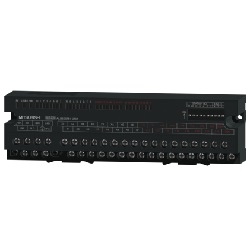 MELSEC CC-Link compact type remote I/O unit (input/output unit)
MITSUBISHI
Standard Price : MYR 698.33-
Days to Ship : 4 Day(s) or more
-
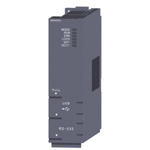 MELSEC-Q Series Sequencer CPU (High Performance Model)
MITSUBISHI
Standard Price : MYR 6,271.67-
Days to Ship : 97 Day(s) or more
-
-
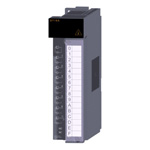
 MELSEC-Q Series Analog Output Unit
MITSUBISHI
Standard Price : MYR 3,211.67-
Days to Ship : 4 Day(s) or more
-
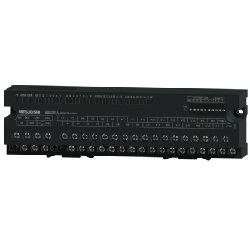 MELSEC CC-Link Small-Size Type Remote I/O Unit (Input Unit)
MITSUBISHI
Standard Price : MYR 698.33-
Days to Ship : 4 Day(s) or more
-
 MELSEC-Q Input Unit (DC Positive Common)
MITSUBISHI
Standard Price : MYR 690.00-
Days to Ship : 4 Day(s) or more


Tech Support
- Factory Automation, Electronics, Tools, & MRO (Maintenance, Repair and Operations)
- Tel:(60) 3 7890 6399
- 9:00am - 6:00pm (Monday - Friday)
9:00am - 1:00pm (Saturday) - Technical Inquiry
- Credit Card
- Bank Transfer


Social Media
MISUMI Contact
Copyright © MISUMI Corporation All Rights Reserved.
How can we improve?
How can we improve?
While we are not able to respond directly to comments submitted in this form, the information will be reviewed for future improvement.
Customer Privacy Policy
Thank you for your cooperation.
While we are not able to respond directly to comments submitted in this form, the information will be reviewed for future improvement.
Please use the inquiry form.
Customer Privacy Policy